


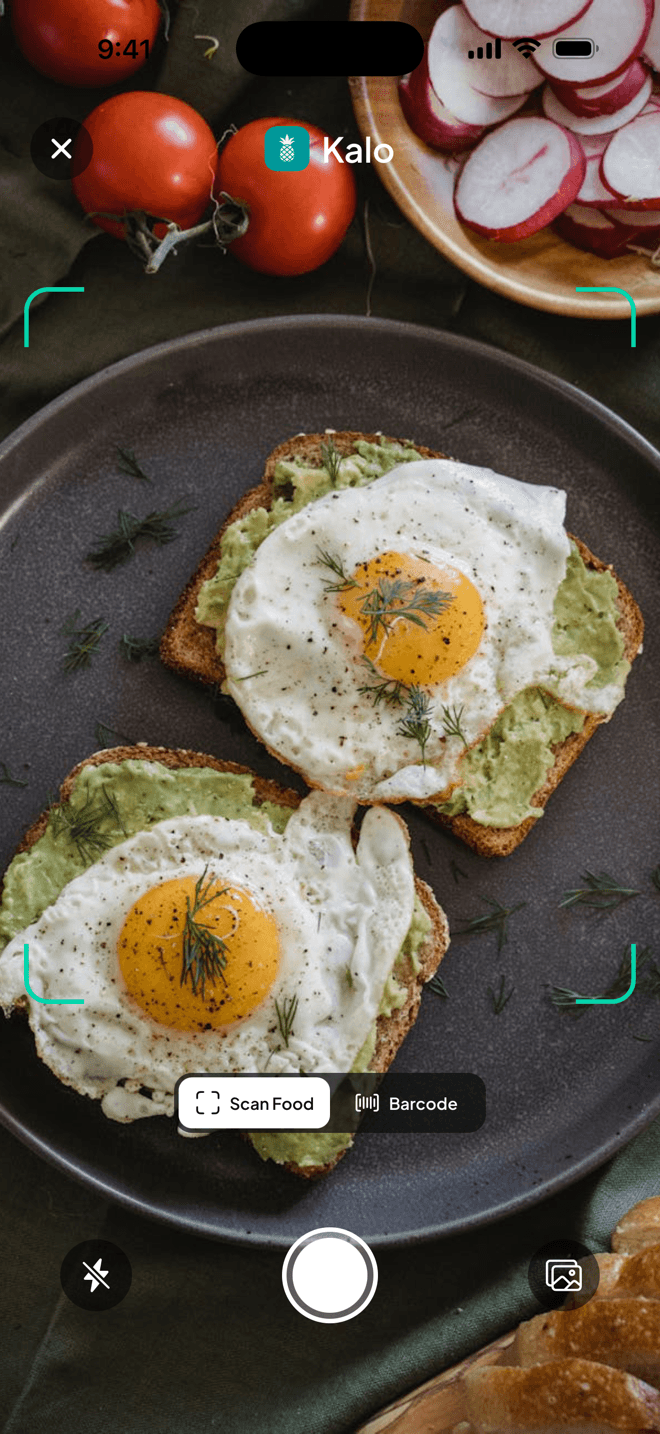
Snap a photo of your plate.
Kalo picks out the foods and estimates calories and macros. Before you save, check the portions and anything a photo can’t see, like oil or sauce.
1,600+ lbs lost by Kalo users*
4.9 on the App Store
Calorie and macro tracking for everyday meals
No food database to search, ever. Snap a photo, type a sentence, or say it out loud, and Kalo does the math. Review the estimate, correct the portion, and see what is left in your daily targets.
Subscription required. Current plans and any trial terms are shown before purchase. Web access starts with setup and an account.
*As of October 17, 2026. Self-reported and not independently verified. Individual results vary.
See how it worksAnimated example of a day in Kalo: breakfast is typed, lunch is a photo of avocado toast, and dinner is spoken. Each meal becomes a calorie and macro estimate, is logged, and updates the calories left for the day.
Illustrative example. You can edit every estimate before you save it.
“I’ve tried so many apps, but this is by far the easiest calorie tracker.”
Write it the way you’d text a friend, or say it out loud. Kalo works out the foods and portions, and you check the result before anything is saved.
Example descriptions with rough calorie estimates.
Type or speak the meal in plain words, or take a photo of your plate.
Review the foods and portions Kalo found, and fix anything before you save.
Calories, protein, carbs, and fat update, along with what’s left for today.
Ready to log your next meal?
6:30 pm · What’s for dinner?
Kalo suggests meals based on your goals, your diet, and what’s left in today’s targets. Not feeling any of them? Ask for new ideas.
Example ideas. In the app, suggestions use your own targets and food preferences.
Meals that fit today
670 cal · 76g protein left
Saturday · Brunch with friends
Pick your bigger days, like Saturday and Sunday. Kalo lowers your other days a little, so your weekly total stays the same.
Works on iPhone and Android.
Example week
On a 2,000-calorie plan
14,000 a week
Sat and Sun get 2,350. The other days drop to 1,860.
Every method feeds the same daily plan, so your calories and macros stay in one place.
Kalo picks out the foods and estimates calories and macros. Before you save, check the portions and anything a photo can’t see, like oil or sauce.
Kalo turns your goal into calorie and macro targets, then shows what’s left as you log.
Tap the mic and talk the way you would to a friend. Kalo lists what it heard, so you can fix anything before you save.
Check foods and amounts before anything is saved. Switch to exact weights when precision matters.
Save a meal once, then add it again from Recent, Favorites, or My Food.
Import a recipe, check the ingredients and servings, and save it for later.
Scan a barcode, then review the serving before you save it.
Follow your weight trend and compare it with your goal, so one big day stays one day.
Illustrative example.
*As of October 17, 2026. Self-reported and not independently verified. Individual results vary.
What people have written about Kalo on the App Store.
Easiest calorie tracker I’ve used
“I’ve tried so many apps, but this is by far the easiest calorie tracker.”
JohnnyQ332 · App Store review excerptChecked October 19, 2026
User friendly
“Nice and easy to use.”
Plchapp · App Store review excerptChecked October 19, 2026
Amazing!
“…it does exactly what it says it does!”
GAllen23 · App Store review excerptChecked October 19, 2026
Simple, helpful, and great start to my journey!
“It’s been a game changer!”
Katej6 · App Store review excerptChecked October 19, 2026
Open Kalo in your browser or on your phone, describe what you eat next, and see where your day stands.
Using Kalo requires a subscription. Current prices and any trial offer are shown in web checkout, the App Store, or Google Play before you confirm.
Still wondering about something? Email support@getkalohealth.com.
AI calorie estimates can be useful for logging, but they can be wrong about the food, portion, or preparation method. Kalo lets you review and edit an estimate before saving it. When precision matters, use a nutrition label, a food scale, or manual entry.
Kalo can use structured nutrition records along with estimates for foods or portions that do not have an exact match. Review the selected food, preparation, and serving before saving.
Describe what you ate, including portions and ingredients you know. Kalo creates a calorie and macro estimate. Review the foods and amounts, make any corrections, and save the meal to your day.
Yes. Take a photo of your meal, and Kalo creates a calorie and macro estimate from the foods it finds. A photo can miss oil, butter, sauces, or ingredients hidden under other food, so review the foods and portions before saving.
A meal description may leave out oil, butter, dressing, or sauce. Review those ingredients separately and use manual entry or a measured amount when they materially change the meal estimate.
Using Kalo requires a subscription. You can start with a trial when one is offered, or subscribe directly. Current prices, trial eligibility, and renewal terms are shown in web checkout, the App Store, or Google Play before you confirm, and can vary by account and country.
Yes. Build a meal or recipe once and log it again from Recent, Favorites, and My Food. You can also import a recipe from a link. Review the serving you ate before adding it to your log.
Yes. Choose your higher-calorie days, like Saturday and Sunday, and Kalo lowers your other days so your weekly total stays the same. It works on iPhone and Android.
Kalo is available for iOS and Android, and you can use Kalo in your browser. Choose Use on web to get started, or sign in with an existing account. Use the Apple App Store or Google Play listing linked on this website to check current phone compatibility.
Kalo connects a personalized calorie plan with flexible meal logging and meal ideas based on what your day still needs. You can snap a photo, type a meal description, speak, reuse a saved meal, or enter amounts manually, then review the result and see how the meal changes your daily targets.
Kalo generates meal ideas based on your goals, dietary preferences, and what you have left today. The suggestions give you a practical place to start when you want to stay on plan but are not sure what to eat next.
Learn how Kalo handles information and which privacy choices are available to you.
Read the privacy policy