How to Track Calories With Photos: 6 Steps That Work
This article is for educational purposes only and is not medical advice. Talk with a qualified healthcare professional before making major nutrition, weight loss, or medication-related changes.
To track calories with photos, use an AI calorie counter app, photograph the whole plate from a 45-degree angle, confirm each detected food, adjust hidden ingredients, and save the meal. The process takes about 10-20 seconds for simple plates and works best when the app can see each food separately instead of guessing what is inside a closed wrap, blended soup, or sauced casserole.
The point is not to make every meal laboratory-precise. It is to make food logging fast enough that you actually do it. A slightly imperfect photo log kept every day beats a perfect manual log that burns you out by Thursday.
Key Takeaways
- Photo tracking works best on visible foods - chicken, rice, eggs, fruit, salads, bowls, and simple plated meals are easier to estimate than soups or hidden fillings
- The best photo angle is about 45 degrees - it shows both plate area and food height, which helps portion estimates
- Always check the ingredient list - the AI may identify the meal but miss oil, dressing, cheese, nuts, or sauce
- Use barcode or manual edits for dense foods - packaged snacks, oils, nut butters, and dressings can swing the total by 100-300 calories
- Consistency is the advantage - photo logging is useful because it removes enough friction to make tracking repeatable
What Is Photo Calorie Tracking?
Photo calorie tracking is a food logging method where you take a picture of your meal and an AI model estimates the calories, protein, carbs, and fat. The app usually identifies the foods in the image, estimates portions from visual cues, matches each item to nutrition data, and returns a meal total you can edit before saving.
This is different from traditional calorie counting, where you search a database, pick a serving size, and enter every ingredient by hand. Photo tracking may reduce some entry steps, but it still needs your judgment for hidden calories and portions the camera cannot see.
How Do You Track Calories With Photos Step by Step?
A good photo log has two jobs: help the AI see the food clearly, then help you catch anything the image cannot know. Use this workflow for most meals:
- Set your calorie target first - A photo log only helps if you know what number you are eating toward. Use a target from your TDEE, a dietitian, or a calculator before worrying about meal-level precision.
- Take the photo before you start eating - Capture the actual portion, not a half-finished plate or a memory of what was there. Include the full plate, bowl, or container in the frame.
- Use a 45-degree angle with good light - A slight side angle shows food height, while overhead visibility shows plate area. Natural light beats dim restaurant lighting, and a fork or hand in frame gives size context.
- Make ingredients visible when you can - Open the sandwich, separate the dressing, or photograph the bowl before mixing. The more components the AI can see, the less it has to infer.
- Review the detected foods - Check whether the app logged chicken as chicken, rice as rice, and avocado as avocado. Correct obvious misses before trusting the calorie total.
- Edit hidden or dense ingredients - Add oil, dressing, cheese, nuts, butter, sauce, and second servings manually when the photo cannot show them. These are the misses that turn a 550-calorie meal into an 850-calorie one.
If you do not have a calorie target yet, the calorie deficit calculator can turn your goal into a daily number before you start logging meals.
What Foods Are Easiest to Track From a Photo?
Photo tracking is most accurate when the food is visible, separated, and has a predictable shape. The camera can estimate a chicken breast or banana better than it can estimate olive oil hidden in pasta sauce. Think of foods in four accuracy tiers:
- Easiest: whole fruits, eggs, chicken breast, salmon, steak, toast, yogurt bowls, rice portions, potatoes, and simple vegetables.
- Still good: burrito bowls, salads, breakfast plates, stir-fries, pasta with visible toppings, and meal-prep containers.
- Needs review: casseroles, curries, restaurant bowls, sandwiches, wraps, pizza slices, smoothies, and mixed soups.
- Manual edit recommended: oils, dressings, nut butters, cheese, cream sauces, fried foods, packaged snacks, and anything with hidden fillings.
The practical rule is simple: if you can name the foods by looking at the photo, the AI probably can too. If you need to explain what is inside, use the photo as a starting point and edit the meal before saving.
How Accurate Is Tracking Calories From Photos?
Photo calorie tracking produces an estimate, not a measurement. Single foods may be easier to identify than mixed meals, while hidden fats and portions that are hard to scale from a flat image add uncertainty. Our Cal AI evidence review explains why one category-wide accuracy percentage is not supportable.
Trust the estimate more when...
- • The foods are separated and visible
- • Portions look standard or easy to compare
- • There is a plate, hand, or utensil for scale
- • The meal has few sauces or hidden fats
Edit the estimate when...
- • Oil, dressing, cheese, or nut butter is involved
- • The food is wrapped, layered, blended, or covered
- • You ordered from a restaurant with large portions
- The photo is a starting point, not a final answer
The hidden advantage is consistency. If a photo tracker gets you to log 18 meals a week instead of 5, your weekly average becomes more useful even when a few individual meals are imperfect. That is especially true for people who already know strict weighing is not sustainable.
What Mistakes Make Photo Calorie Tracking Less Accurate?
Most bad photo logs fail for predictable reasons. Fix these and your estimates get noticeably better:
- Only photographing the main plate - Drinks, dips, sauces, desserts, and bites from someone else's plate still count.
- Taking the photo after eating - A half-eaten plate makes the app guess the original portion from leftovers.
- Letting mixed foods hide ingredients - A closed burrito can contain 500 or 1,100 calories depending on rice, cheese, sour cream, guac, and meat portion.
- Forgetting cooking fat - One tablespoon of olive oil adds about 120 calories, and it often disappears visually once food is cooked.
- Trusting restaurant portions blindly - Restaurant meals often include larger portions and more fat than homemade versions, so choose a restaurant entry or edit upward when needed.
- Using blurry or dark photos - If you would not be able to identify the food from the photo, the AI will struggle too.
When Should You Use Barcode or Manual Tracking Instead?
Use barcode or manual tracking when the label or your own measurement is more reliable than a picture. Packaged protein bars, chips, frozen meals, cooking oils, nut butters, salad dressings, and coffee add-ins are better logged from the label or a quick manual entry. The photo can still help document the meal, but the numbers should come from the more precise source.
A hybrid workflow usually wins: photos for meals, barcode for packaged foods, and quick edits for calorie-dense ingredients. That keeps the process fast without pretending a camera can see through sauce. It is also the easiest way to track calories without weighing food while staying close enough for weight-loss progress.
Can Photo Calorie Tracking Help With Weight Loss?
Yes, photo calorie tracking can help with weight loss when it makes logging easier and more consistent. Weight loss still comes from maintaining a calorie deficit, but most people do not struggle because they lack a formula. They struggle because real life makes tracking annoying: restaurant meals, snacks, sauces, and homemade portions do not fit neatly into database entries.
Photo tracking lowers that barrier. You still need to review the estimate, but the first draft is done for you. That small difference matters because dietary self-monitoring works best when it happens frequently, not when it is saved for the few meals that are easy to log perfectly.
Frequently Asked Questions
Can I track calories by taking a picture of food?
Yes. AI calorie counter apps can estimate calories and macros from a food photo by identifying each visible item, estimating portions, and matching them to nutrition data. You should still review the result for hidden oil, dressing, sauces, and serving size errors.
What is the best way to photograph food for calorie tracking?
Use bright light, capture the entire plate, and shoot from about a 45-degree angle so the app can see both width and height. Include a fork, hand, or standard plate when possible to give the AI a size reference.
Is photo calorie tracking better than manual calorie counting?
Photo tracking is usually faster and easier to stick with, while manual tracking can be more precise for measured ingredients. For most people, the best workflow is hybrid: photo log meals, scan packaged foods, and manually edit dense ingredients.
Can an AI calorie counter see oil or sauce in a meal?
Not reliably. AI can often identify that a meal has sauce, but it usually cannot know whether there is 1 teaspoon or 2 tablespoons of oil underneath. Add oils, dressings, butter, and creamy sauces manually when accuracy matters.
Do I still need to weigh food if I use photo tracking?
Not for every meal. Weighing is useful for calorie-dense foods like oils, nut butters, rice, pasta, and cheese, but photo tracking is usually enough for visible, repeatable meals when your goal is sustainable consistency.
How Kalo Helps You Track Calories With Photos
Kalo is built for the exact workflow in this guide: snap a meal photo, get an instant calorie and macro breakdown, review the detected items, and save the meal without digging through a giant food database. It is especially useful for bowls, plates, and homemade meals where manual logging turns into a guessing game.
The difference is itemization. When you photograph a burrito bowl, Kalo can break the meal into rice, beans, protein, toppings, and sauce instead of treating it as one generic bowl. That gives you a better first estimate and a cleaner place to adjust portions when something looks off. For more on the photo-first workflow, start with the AI calorie counter guide.
Track the meal you actually ate, not the perfect database entry you wish existed. Download Kalo today to log food from a photo and keep your calorie target easier to follow.
Sources
Related Articles
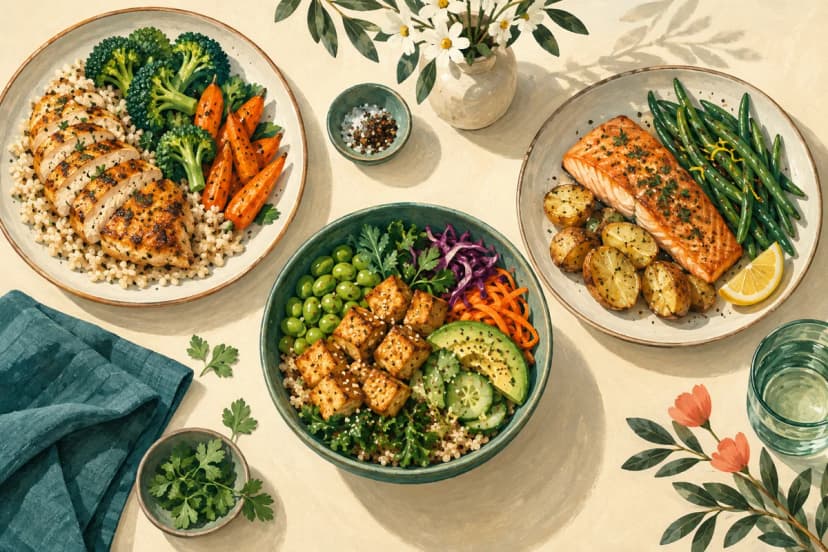
What to Eat for Dinner Based on Your Remaining Calories and Protein
Compare three dinner combinations, check cooked portions, and use your remaining calories and protein as planning estima...

How Many Calories Does Walking 3,000 Steps Burn?
3,000 steps burn about 85-230 total calories depending on weight and cadence. See estimates, active calories, distance,...

How Many Calories Does a 15-Minute Walk Burn?
A 15-minute walk burns about 40-140 total calories depending on your weight and pace. See estimates by weight, speed, st...
Ready to Start Your Health Journey?
Download Kalo to review meal estimates as you track.